+30 2810 237502 ▾


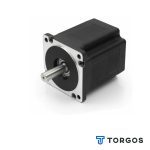
NEMA 34 Stepper Motor 86x86mm High Torque CNC 80,00 € (inc VAT)

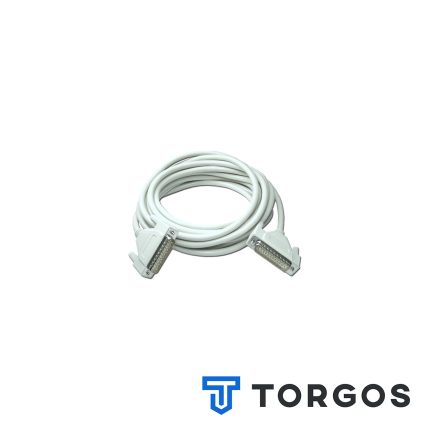
Flexible Drag Chain Cable for 3-Axis CNC Machines 80,00 € (inc VAT)
RJ45 Ethernet Cable for Ruida CNC Controllers
Price range: 0,20 € through 12,00 € (inc VAT)
A standard RJ45 Ethernet cable for connecting a computer or network to a Ruida CNC or laser controller. It replaces USB for longer, more stable data connections during cutting and engraving jobs. Suitable for most network-enabled CNC and laser control boards.
Περιγραφή
A reliable RJ45 Ethernet cable is a small but essential accessory for anyone running a CNC router or laser cutter with a Ruida controller. It carries the toolpath and control data from the computer to the machine, and without it the controller has no way to receive a job at all.
Ruida controllers, along with many other CNC and laser control boards, use a standard network port instead of USB because it holds up better during long cutting or engraving sessions. This cable suits workshop owners, machine integrators, and hobbyists who need a dependable link between their PC and their machine, especially when the computer sits some distance away from the control cabinet.
Features of this RJ45 Ethernet cable
This RJ45 Ethernet cable is terminated with standard connectors on both ends, so it plugs straight into the network socket on a Ruida controller and into a computer’s Ethernet port or a router. It follows the same wiring convention used across networking equipment generally, which keeps compatibility straightforward across different controller brands and models.
Because the signal travels over twisted copper pairs rather than a single USB line, it tolerates electrical noise from stepper drivers and spindle motors far better. That stability matters most during long engraving runs, where a dropped USB connection can ruin a workpiece halfway through the job.
- Standard RJ45 connectors moulded on both ends
- Compatible with Ruida and most other network-enabled CNC controllers
- Stable data transfer over longer cable runs than USB
- Better resistance to interference from motors and drives
- Straightforward to source in different lengths for various workshops
Where it’s used
In practice, this RJ45 Ethernet cable connects the computer running control software such as RDWorks or LaserWork to a Ruida-based laser cutter, CO2 engraver, or CNC router. It is equally useful when the machine sits on a separate network switch inside a larger workshop, letting more than one computer reach the same controller when needed. For other controller accessories and spares, browse the CNC parts shop.
It also works well as a straightforward replacement when an original cable is damaged, kinked, or too short for a new workshop layout, since standard network cabling is inexpensive and easy to find locally.
What to check before buying
Before ordering a RJ45 Ethernet cable, confirm the network port on the controller and check that the connector housing isn’t recessed in a way that needs a slimmer plug boot. Most Ruida boards use a standard socket, but some machine enclosures restrict the space around it more than expected.
Also measure the actual distance between the computer and the control cabinet, and choose a length with a little slack rather than a tight fit. Signal quality on any network cable suffers if it is stretched too taut, kinked around sharp edges, or run directly alongside high-voltage power cables.
Installation and maintenance
Installing the cable is straightforward: plug one end into the Ruida controller’s network port and the other into the computer or a router, then set the matching IP address in the control software as described in the controller’s manual. For background on how this cabling standard works, see Ethernet.
Keep the cable away from sources of electrical noise such as VFDs and stepper drivers, and avoid tight bends near the connectors, since repeated flexing can crack the plastic retaining clip over time. If the connection becomes unreliable during a job, check the clip and the socket first, because a worn RJ45 Ethernet cable connector is the most common cause of intermittent dropouts.
FAQ
Can I use a regular network cable instead of a dedicated CNC cable? Yes, any good-quality RJ45 Ethernet cable that meets Cat5e or Cat6 specifications will work with a Ruida controller.
Why does my Ruida controller lose connection during long jobs? This is usually caused by a damaged connector, interference from nearby motors, or a cable run that is longer than its rating allows, rather than a fault in the controller itself.
What length should I choose? Measure the distance between the computer and the machine, then add a little extra so the cable isn’t pulled tight across the workshop floor.
Επιπλέον Πληροφορίες
| Network Cable | RJ45 clips, UTP Cat6 (με το μέτρο), UTP Cat6 patch cable 1.5m, UTP Cat6 patch cables 5m |
|---|
Reviews (0)
Shipping & Delivery


Αποστολή & Παράδοση
Όλες οι παραγγελίες αποστέλλονται με ACS Courier και παραδίδονται σε 1-3 εργάσιμες ημέρες.
Κόστος αποστολής:
- Αποστολή: €5,80
- Αντικαταβολή: €5,50
- Δωρεάν αποστολή για παραγγελίες άνω των €100
Ογκώδη δέματα:
Για ογκώδη ή βαριά δέματα η αποστολή πραγματοποιείται μέσω μεταφορικής εταιρείας με χρέωση στον παραλήπτη.
Αποστολές εκτός Ελλάδας:
Πραγματοποιούνται κατόπιν συνεννόησης. Επικοινωνήστε μαζί μας για περισσότερες πληροφορίες.





Reviews
There are no reviews yet.