+30 2810 237502 ▾


DM556 Stepper Motor Driver 24-50V 5.6A for CNC 64,00 € (inc VAT)
LM2596 Step-Down Converter with Adjustable Output 7,00 € (inc VAT)
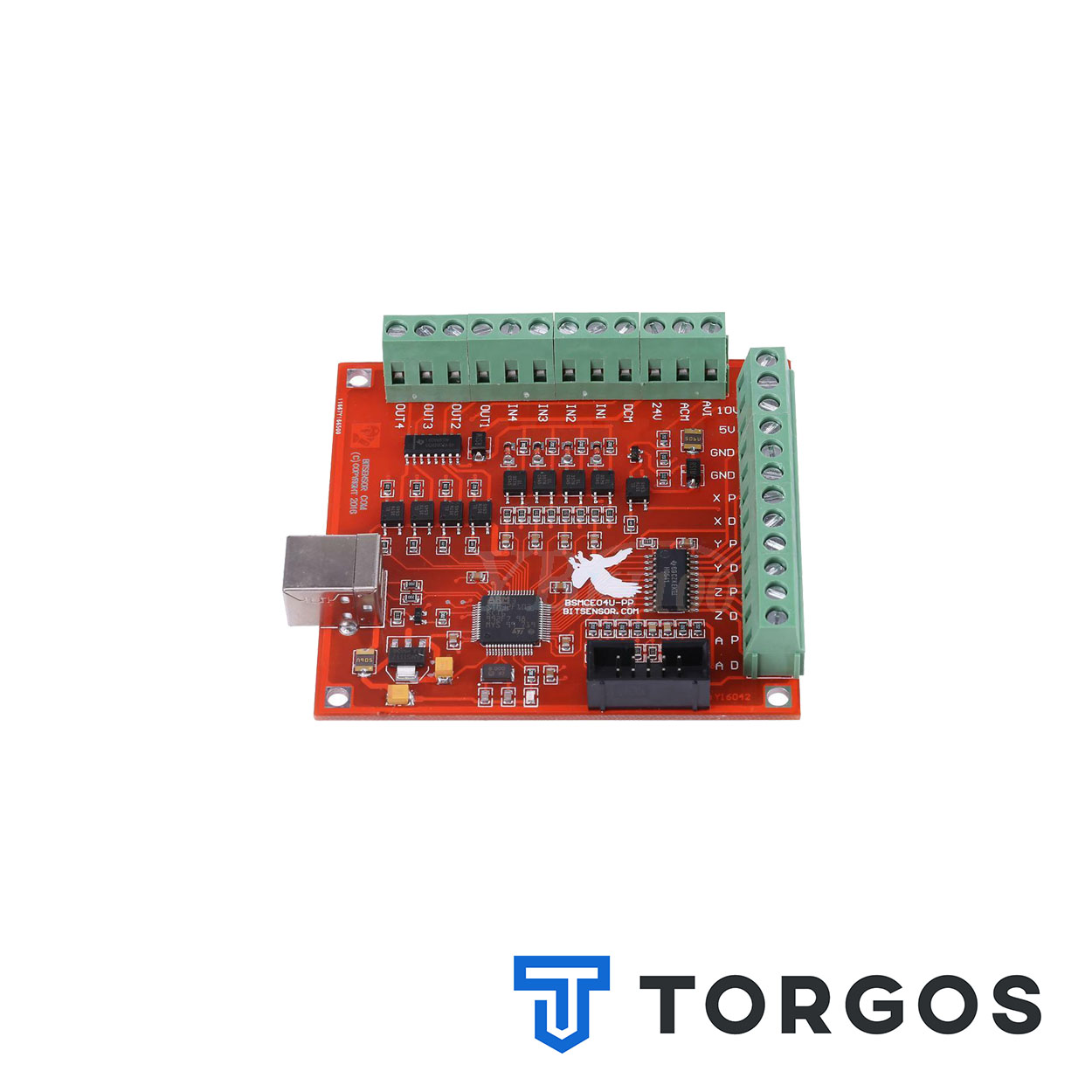
Mach3 USB Motion Controller 100kHz for CNC Machines
46,00 € (inc VAT)
The Mach3 USB motion controller connects a workshop PC to stepper and servo drivers over USB, replacing the parallel port on CNC control panels. It outputs pulses up to 100kHz for accurate multi-axis motion under Mach3.
Περιγραφή
The Mach3 USB motion controller is the interface card that turns G-code commands from Mach3 software into step and direction pulses for stepper or servo drivers. It plugs into any spare USB port on a workshop PC, so there is no need to hunt for a legacy LPT parallel port on modern hardware.
This card is aimed at machine builders, workshop technicians and hobbyists who are wiring up or upgrading a control cabinet for a CNC router, mill or plasma table. If a laptop or new desktop with no parallel port is standing in the way of a Mach3 build, this controller closes that gap.
Mach3 USB Motion Controller Features
Running at a maximum pulse output of 100kHz, the Mach3 USB motion controller keeps axis motion smooth even at high feed rates and short step intervals. It sits between the PC and the driver bank, converting software commands into electrical step and direction signals for each axis.
Because the card talks to Mach3 over USB, wiring stays simple and timing stays consistent regardless of the motherboard’s chipset, a common headache with old parallel-port break-out boards. Most control panels use it as the single link between the computer and every stepper or servo driver on the machine.
- USB connection to the PC, no LPT port required
- Works with Mach3 control software
- Pulse output up to 100kHz per axis
- Drives multiple axes: X, Y, Z and auxiliary axes
- Compatible with stepper and servo driver inputs
- Suitable for router, mill, plasma and engraving setups
Where it’s used
A Mach3 USB motion controller is typically found inside the electrical cabinet of a CNC router used for wood, acrylic or aluminium panel cutting, wired directly to the stepper drivers of the X, Y and Z axes. The same card fits plasma tables and small milling machines that run Mach3 as their control software.
Builders replacing an ageing parallel-port setup, or moving the whole control system onto a laptop, rely on this card to keep the machine running without rewiring the driver side. The rest of the compatible drivers and accessories for a full control panel build are in the CNC electronics shop.
What to check before buying
Before ordering a Mach3 USB motion controller, confirm that the specific Mach3 licence and version in use supports this plugin-style card, since some older Mach3 installs need a matching plugin file copied into the software folder. Check the pin-out against the existing driver wiring too, as step and direction assignments vary between board revisions.
A frequent mistake is assuming any USB motion card works with any Mach3 setup out of the box; without the correct plugin configuration, the axes will not respond even though the card is powered and connected. It is also worth checking how many axes and spindle outputs the cabinet needs before wiring everything to the board.
Installation and maintenance
Installation involves mounting the Mach3 USB motion controller inside the control cabinet, wiring step, direction and enable signals to each driver, then loading the matching plugin inside Mach3 and mapping the axes in the motor tuning settings. Keep signal cables away from motor leads to avoid electrical noise on the pulse lines.
Maintenance is minimal: check that the USB and terminal connections stay tight against machine vibration, and keep the plugin version aligned with the Mach3 release in use. For background on the G-code instructions the controller ultimately executes, see the G-code reference.
FAQ
Does this controller need a parallel port? No, it connects over USB, which is why it suits PCs and laptops without an LPT port.
Can it run servo drivers as well as steppers? Yes, as long as the driver accepts step and direction pulse signals, matching wiring for stepper or servo devices.
How many axes can the Mach3 USB motion controller drive? It supports the standard X, Y, Z axes plus additional axes where the Mach3 configuration and cabinet wiring allow.
Reviews (0)
Shipping & Delivery


Αποστολή & Παράδοση
Όλες οι παραγγελίες αποστέλλονται με ACS Courier και παραδίδονται σε 1-3 εργάσιμες ημέρες.
Κόστος αποστολής:
- Αποστολή: €5,80
- Αντικαταβολή: €5,50
- Δωρεάν αποστολή για παραγγελίες άνω των €100
Ογκώδη δέματα:
Για ογκώδη ή βαριά δέματα η αποστολή πραγματοποιείται μέσω μεταφορικής εταιρείας με χρέωση στον παραλήπτη.
Αποστολές εκτός Ελλάδας:
Πραγματοποιούνται κατόπιν συνεννόησης. Επικοινωνήστε μαζί μας για περισσότερες πληροφορίες.
Related products

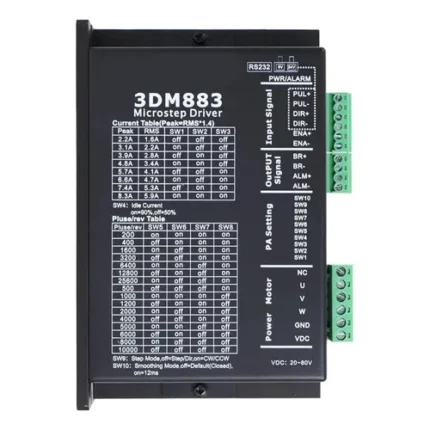
Three-Phase Stepper Driver 8.3A – Leadshine 3DM883
The Leadshine 3DM883 is a three-phase stepper driver 8.3A for CNC router, laser and plasma axes. It uses digital signal processing to cut motor noise and heat compared to older analogue drives. Dip-switch microstepping and built-in overvoltage, overheat and short-circuit protection make it a straightforward retrofit part.




Reviews
There are no reviews yet.