+30 2810 237502 ▾


220V 80W Water Pump for CNC Spindle Cooling Systems 61,00 € (inc VAT)

CW-5200 Laser Chiller for CO2 Cutting Machines 807,00 € (inc VAT)
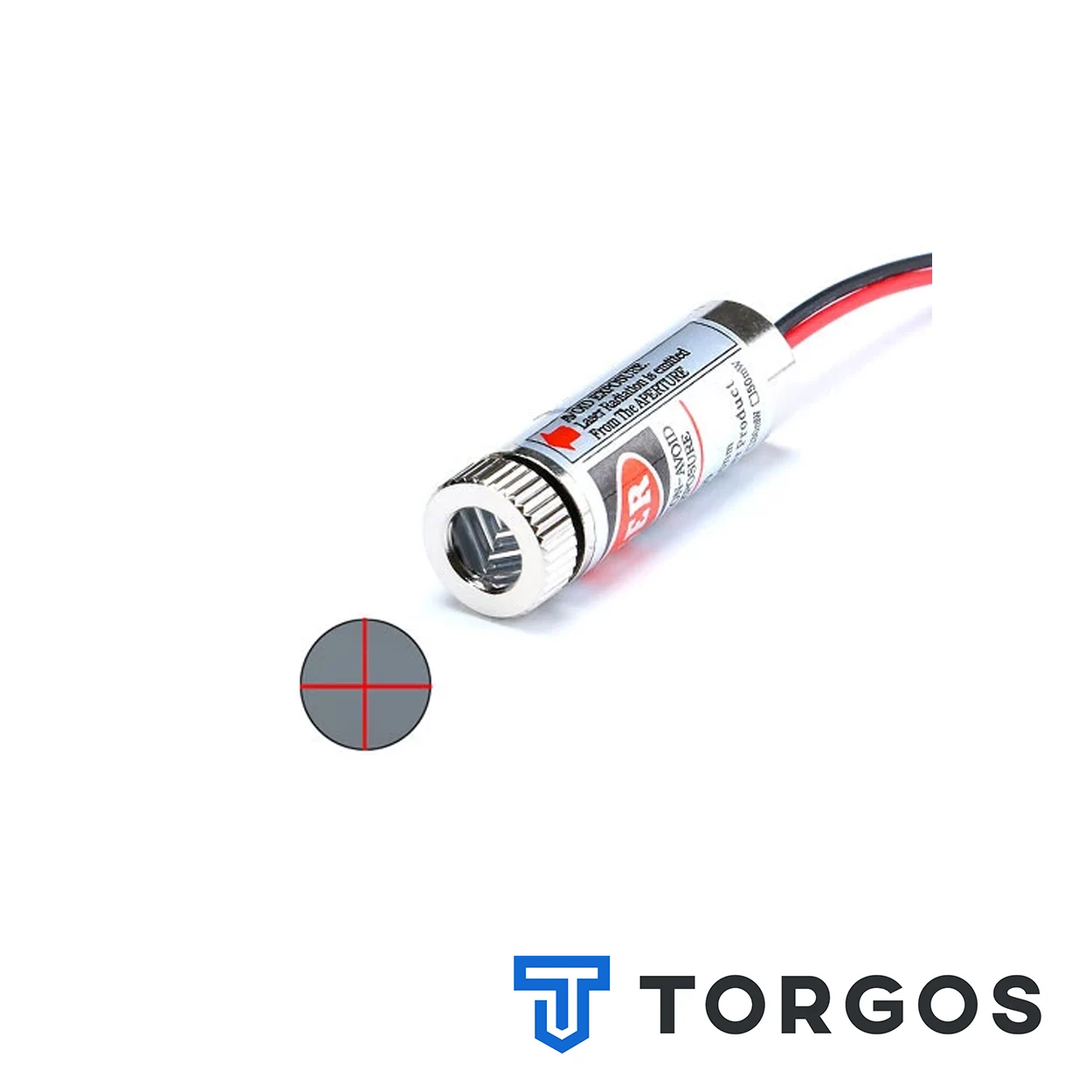
Red Cross Laser Module 5mW for CNC Router Alignment
4,00 € (inc VAT)
The red cross laser module projects two crossing red lines onto the workpiece to mark the exact cutting point. It runs on low-voltage DC and mounts near the spindle for quick, repeatable alignment on CNC routers, laser cutters, and engraving machines.
Περιγραφή
The red cross laser module is a compact alignment accessory for CNC routers, laser cutters, and engraving machines. It projects two intersecting red beams onto the workpiece, forming a crosshair that marks the exact centre of the next cutting or engraving pass before the spindle ever moves.
It is aimed at CNC machinists, sign makers, and small workshops that need fast, repeatable centring without opening the control software each time. Anyone working with material that has no fixed reference edge, such as reclaimed wood, patterned plexiglass, or metal sheet with an uneven surface, benefits from a visual reference point.
Features of the Red Cross Laser Module
The red cross laser module uses a single laser diode split into two perpendicular lines, producing a bright cross on wood, plastic, or metal even under normal workshop lighting. It runs on low-voltage DC and is normally switched through a relay or a spare output on the machine’s control board.
Its compact housing mounts close to the spindle or the cutting head without interfering with tool travel. Because the beams stay fixed relative to the tool, the projected crosshair follows the same offset job after job, saving repeated manual measurement. A short warm-up is not required, so the crosshair appears as soon as power is applied.
- Dual-line red laser diode forming a visible crosshair
- Low-voltage input, compatible with most CNC control panels
- Compact housing for mounting near the spindle or router head
- Fixed beam angle for repeatable positioning between jobs
- Simple on/off control via relay or switch
Where the Red Cross Laser Module Is Used
This type of crosshair laser is common on hobby and semi-professional CNC routers used for wood signage, plexiglass panels, and light metal engraving. It is also fitted to small laser cutters and plasma or router combo machines where the operator needs a quick visual check before locking the material down.
Workshops that cut repeat batches of the same part rely on it to line up stock quickly between runs, and hobbyists setting up an unfamiliar blank appreciate having a visible reference instead of trusting software coordinates alone. Browse the full CNC accessories range for other alignment and control-panel parts.
What to Check Before Buying
Confirm the working voltage matches the output already available on the control cabinet, since most of these modules run on low DC voltage rather than mains power. Check the mounting thread or bracket size against the spindle collar or gantry plate before installing the red cross laser module. Also confirm the beam colour and mounting size match your existing setup if you are replacing a failed unit, since housings vary between suppliers.
Position matters too: the laser must be mounted so its crosshair lands on the same spot as the tool tip, which usually means a short calibration after installation. A missing switched output on the control board is the most common reason buyers add an extra relay.
Installation and Maintenance
Mount the red cross laser module on a fixed bracket close to the tool, wire it to a switched low-voltage output, and test the beam alignment against the tool tip on scrap material before running a real job. Route the low-voltage cable away from stepper or spindle wiring to avoid electrical noise. Adjust the bracket angle rather than the diode itself if the cross drifts off-centre.
Keep the lens free of dust and coolant residue with a soft cloth, and avoid pointing the beam directly into anyone’s eyes, in line with standard laser diode safety practice. Re-check the calibration after any spindle change or bracket removal, since even a small shift moves the projected point.
FAQ
Does the red cross laser module cut or mark the material? No, it only projects a visual reference point; it does not burn, mark, or engrave the surface.
What voltage does the module run on? Most versions run on low-voltage DC, typically supplied from the control board or a small separate driver, not directly from mains power.
Can it be used on metal and plastic sheets? Yes, the crosshair is visible on wood, plastic, and metal alike, though very reflective or polished metal can reduce contrast.
Reviews (0)
Shipping & Delivery


Αποστολή & Παράδοση
Όλες οι παραγγελίες αποστέλλονται με ACS Courier και παραδίδονται σε 1-3 εργάσιμες ημέρες.
Κόστος αποστολής:
- Αποστολή: €5,80
- Αντικαταβολή: €5,50
- Δωρεάν αποστολή για παραγγελίες άνω των €100
Ογκώδη δέματα:
Για ογκώδη ή βαριά δέματα η αποστολή πραγματοποιείται μέσω μεταφορικής εταιρείας με χρέωση στον παραλήπτη.
Αποστολές εκτός Ελλάδας:
Πραγματοποιούνται κατόπιν συνεννόησης. Επικοινωνήστε μαζί μας για περισσότερες πληροφορίες.
Related products


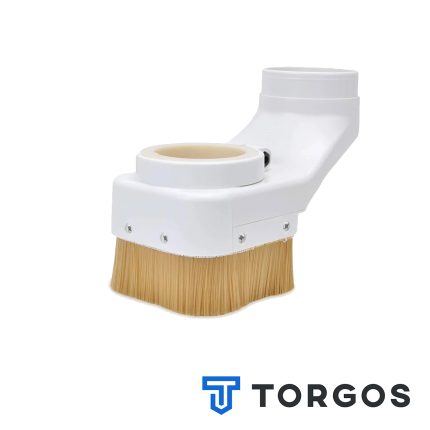
Dust Shoe for Water-Cooled CNC Spindles — Ø80 & Ø100mm
This dust shoe fits around a water-cooled CNC spindle, enclosing the spindle body and its cooling tubes without restricting movement. Perimeter brushes seal against the workpiece while a side port connects to a shop vacuum or central dust extraction line. It keeps the work area visible and free of chips during wood, MDF, and plastic routing.





Reviews
There are no reviews yet.